The same file in both apps
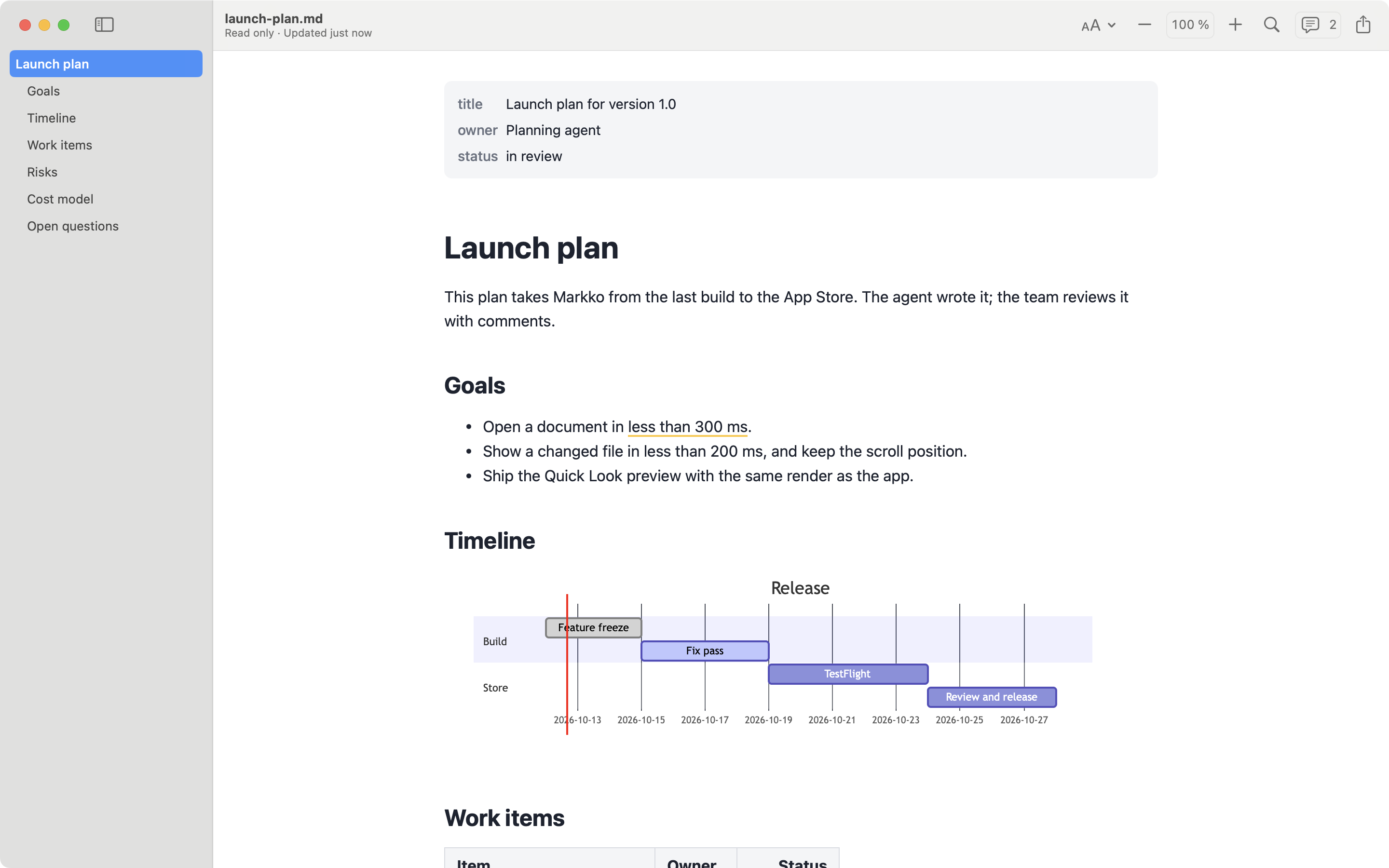
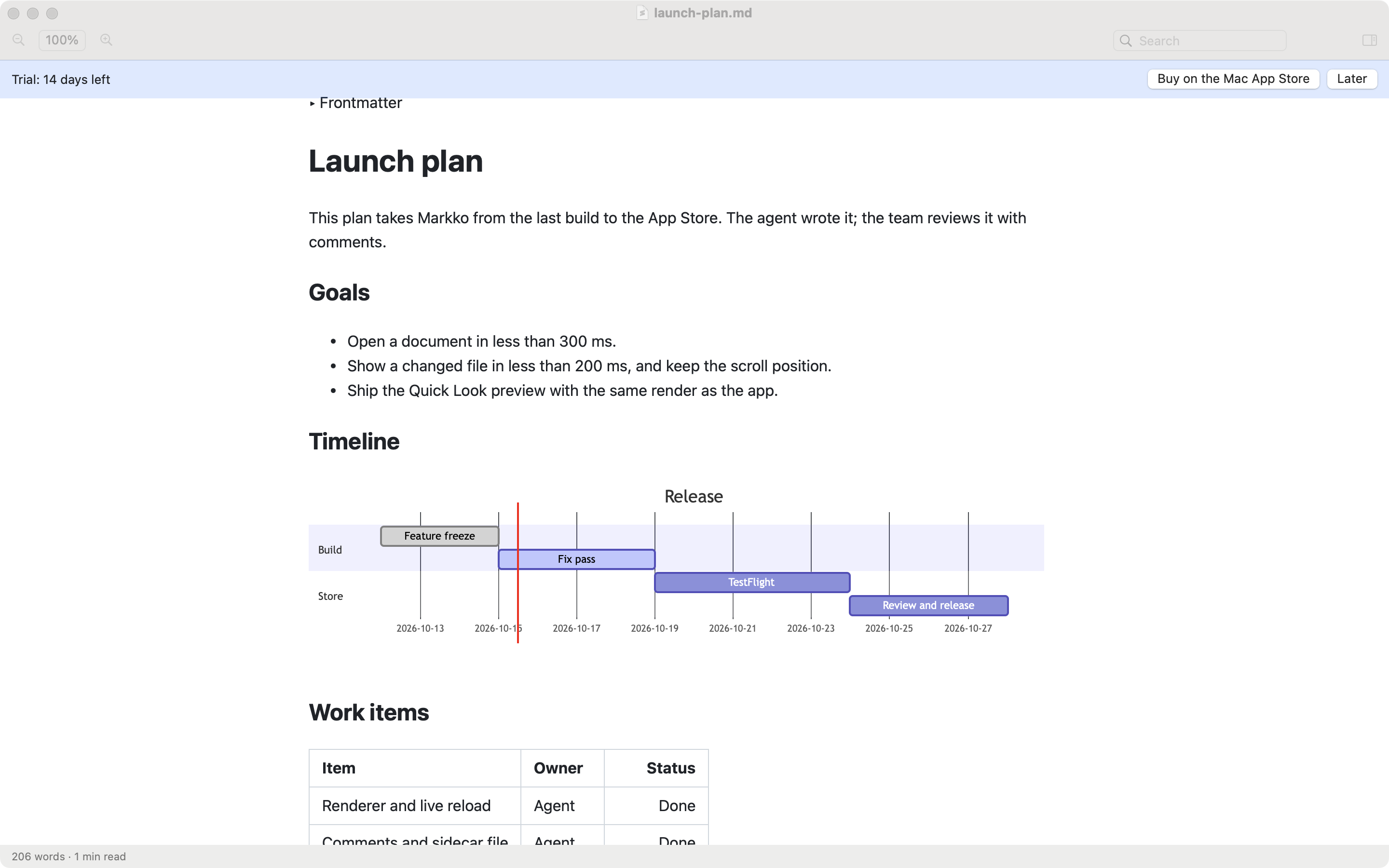
Markdown Better View is a Markdown viewer for the Mac by Martin Bednar. Like Markko, it is sold on the Mac App Store, has Quick Look, and renders Mermaid diagrams and math. We make Markko, so read this page with that in mind. The facts about Markdown Better View come from its website and its Mac App Store page, checked on 2026-10-10. We did not test the app.
At a glance
| Markko | Markdown Better View | |
|---|---|---|
| Price | Free; Markko Pro €12.99, one time | $9.99, one time |
| Free version or trial | Free version, no time limit | 14-day free trial, according to its website |
| Where to buy | Mac App Store only | Mac App Store |
| Quick Look | Yes (free) | Yes, with thumbnails in Finder |
| Mermaid | Pro, also in Quick Look | Yes; Quick Look not stated |
| Math | Pro (KaTeX) | Yes (KaTeX) |
| Export | Pro: PDF and HTML; print is free | PDF; print |
| Comments | Pro, stored in <file>.md.meta |
Not listed |
| Profiles | Appearance profiles (free) | Not listed |
| Live reload | Yes (free) | Yes |
| Native or Electron | Native | Native, universal binary |
| macOS minimum | macOS 14 | macOS 15 |
Prices are in the currency each vendor states.
Where Markdown Better View is the better choice
- One price, everything included. Mermaid, KaTeX math and PDF export are part of the $9.99 purchase. In Markko, these are part of Pro at €12.99.
- Folders as tabs. You can open a folder, and each Markdown file opens as a tab. Markko has window tabs, but opening a whole folder is not on its feature list.
- Follow Edits. Its App Store page lists live reload together with scrolling that follows the edits.
- Reading mode and image lightbox. It has a distraction-free reading mode and shows images in a lightbox.
- Finder thumbnails. Its website says Markdown files get thumbnails in folders.
- Deep links. It has an
mdbv://URL scheme to open files from other tools.
Where Markko is the better choice
- Free without a time limit. Reading, Quick Look, live reload, outline, find, tabs, themes and print cost nothing in Markko, and stay free.
- macOS 14. Markko runs on macOS 14 or later. Markdown Better View needs macOS 15.
- Comments. Markko Pro stores comments next to the file in
<file>.md.meta. The Markdown file stays as it is. - HTML export. Markko Pro exports to PDF and HTML. Markdown Better View lists PDF export and print.
- More themes. Markko has 12 themes with light and dark, and appearance profiles. Markdown Better View lists five themes.
- Mermaid in Quick Look. With Markko Pro, diagrams show in the Finder preview. The pages of Markdown Better View do not say if its preview shows diagrams.
- Line numbers. They are in the free version of Markko.
The verdict
These two apps are near to each other. Both are native viewers on the Mac App Store, both have Quick Look, and neither collects data: the App Store privacy label of Markdown Better View says “Data Not Collected”, and Markko has no analytics. If you want Mermaid and math for the lowest one-time price and your Mac runs macOS 15, Markdown Better View is a good choice. If you want to start free and stay free for plain reading, if you are on macOS 14, or if you want comments and HTML export, Markko is the better choice.
FAQ
How much does Markdown Better View cost?
The Mac App Store lists it at $9.99 as a one-time purchase with no in-app purchases. Its website mentions a free 14-day trial. Markko is a free download, and Markko Pro is a one-time €12.99 in-app purchase.
Which macOS version do the two apps need?
Markdown Better View needs macOS 15 or later. Markko needs macOS 14 or later. Both run on Apple Silicon and Intel Macs.
Do both apps render Mermaid and math?
Yes. Markdown Better View includes Mermaid and KaTeX in its price. In Markko, Mermaid and KaTeX math are part of Markko Pro, and Mermaid also works in Quick Look.