The same file in both apps
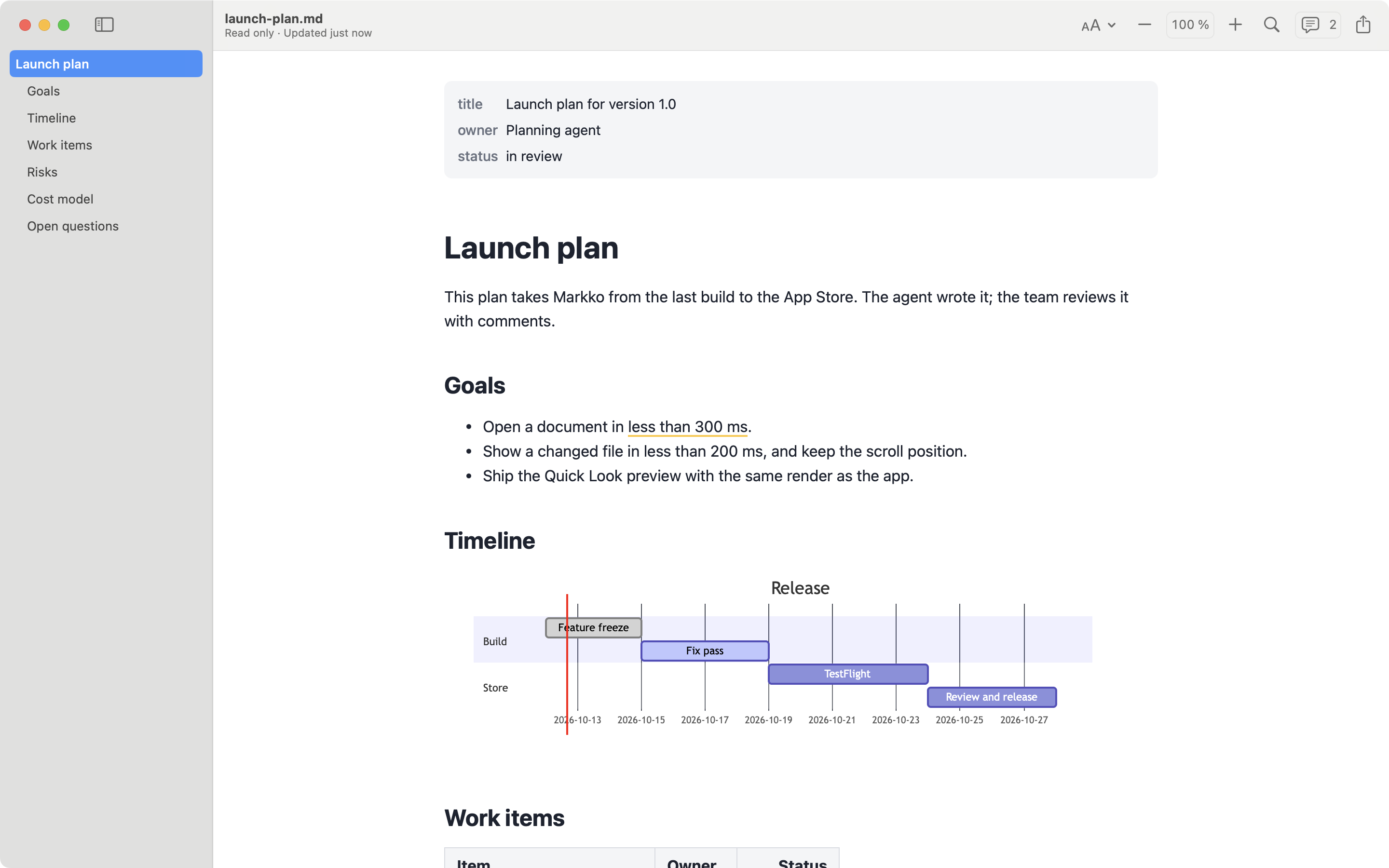
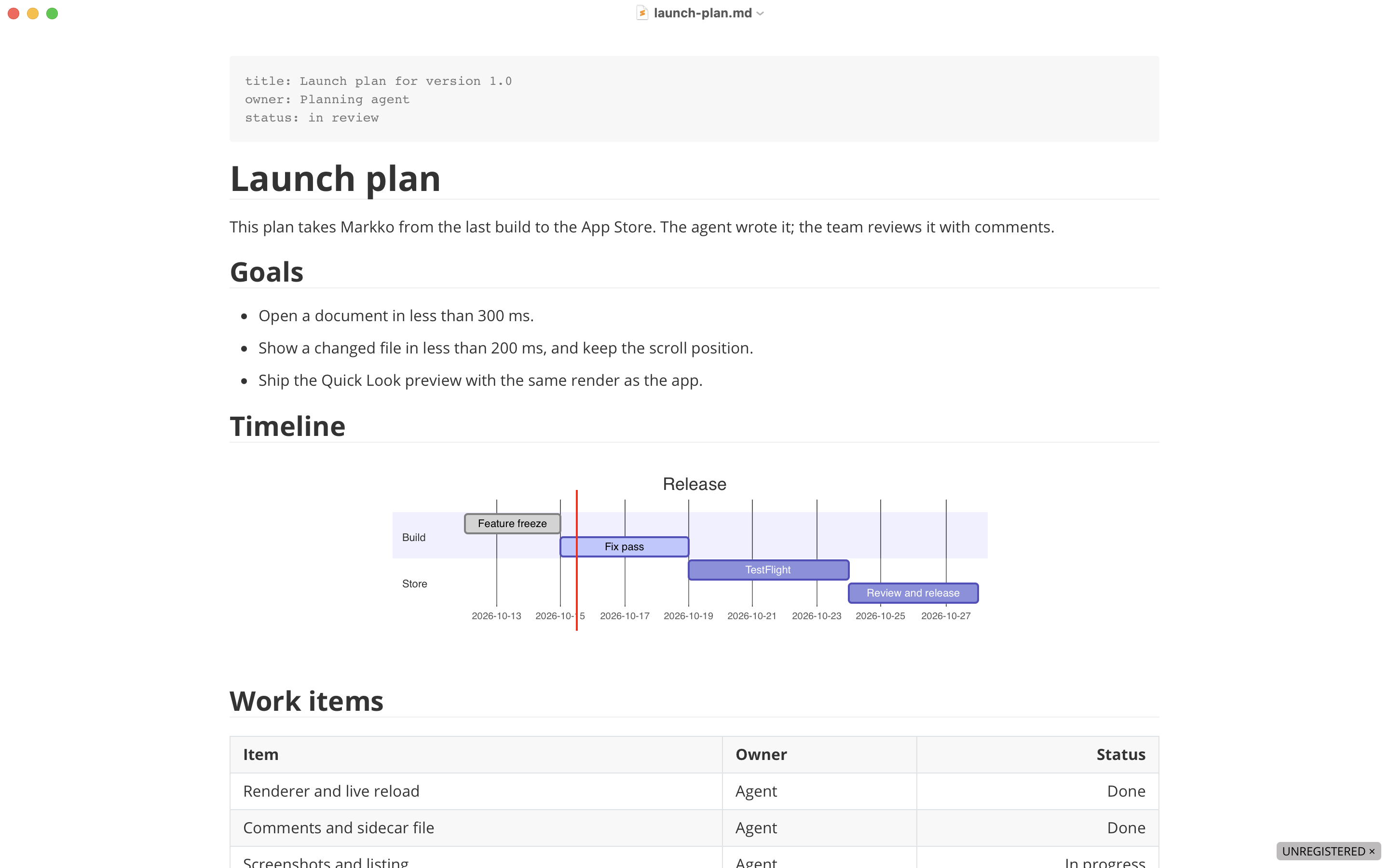
Typora is a Markdown editor for macOS, Windows and Linux. It shows the formatted text while you type and hides the Markdown symbols. Markko is not an editor: it is a read-only viewer for the Mac. The two apps are for different jobs. We make Markko, so read this page with that in mind. The facts about Typora come from its website and support pages, checked on 2026-10-10. We did not test the app.
At a glance
| Markko | Typora | |
|---|---|---|
| Type | Read-only viewer | Editor with live preview |
| Price | Free; Markko Pro €12.99, one time | $14.99 without tax, one time, up to 3 devices |
| Free version or trial | Free version, no time limit | 15-day free trial |
| Where to buy | Mac App Store only | Direct from typora.io |
| Quick Look | Yes (free) | Not stated |
| Mermaid | Pro, also in Quick Look | Yes |
| Math | Pro (KaTeX) | Yes (MathJax) |
| Export | Pro: PDF and HTML; print is free | PDF, HTML and image built in; Word, OpenDocument, RTF, EPUB, LaTeX and more with Pandoc |
| macOS minimum | macOS 14 | macOS 11 |
Prices are in the currency each vendor states.
Where Typora is the better choice
- You can write. Typora is an editor. You change text, tables and lists directly in the formatted view. Markko cannot change a file.
- Three platforms. Typora runs on macOS, Windows and Linux. One licence covers up to 3 devices. Markko is for the Mac only.
- Export. PDF, HTML and image export are built in. With Pandoc installed, Typora also exports to Word, OpenDocument, RTF, EPUB, LaTeX and other formats. Markko Pro exports to PDF and HTML.
- Folders. Typora has a file tree and a file list in the sidebar, so you can work with a folder of documents.
- Your own themes. Typora themes are CSS files, and you can add your own. Markko has 12 themes.
- Tools for writing. Focus mode, typewriter mode, and counts for words, characters, lines and reading time.
- More diagram types and math options. Typora supports Mermaid, flowchart.js and sequence diagrams, and MathJax with numbered equations.
- Older Macs. Typora runs on macOS 11 or later. Markko needs macOS 14.
Where Markko is the better choice
- It cannot change your file. Markko is read-only. You cannot press a key by accident and change a document. This is important when you review files that other people or AI tools write.
- Quick Look in Finder. Press Space on a Markdown file and see it formatted. This is in the free version. Typora’s pages do not mention Quick Look.
- Free for reading. Formatted GitHub Flavored Markdown, live reload, outline, find, tabs, themes and print cost nothing and have no time limit. The Typora trial ends after 15 days.
- Comments without changes to the document. Markko Pro stores comments next to the file in
<file>.md.meta. The Markdown file stays as it is. - Live reload as a main function. Markko shows the new content when another program saves the file. You can keep it open next to an editor or a terminal.
- Mac App Store. Installation and updates come from the Mac App Store, with no licence key and no account.
The verdict
This is not a choice between two similar apps. If you write Markdown, you need an editor, and Typora is a well-known one with a fair one-time price. Markko does not replace it. If you read Markdown more than you write it, a viewer is the safer and simpler tool: it opens from Finder, it follows changes to the file, and it never changes the file. You can also use both. Write in Typora, or in any other editor, and read in Markko.
FAQ
Can Typora open a file read-only?
Typora is an editor: when you type in a document, you change it. We could not confirm a read-only setting from the pages we checked. Markko is read-only by design and never changes the Markdown file.
Is Typora free?
No. Typora has a free 15-day trial. After that, a licence costs $14.99 without tax, one time, for up to 3 devices. Markko has a free version with no time limit.
Can I use Typora and Markko together?
Yes. You can write in Typora and read in Markko. Markko reloads the document when the file changes.